Lesson recordings.
Return to an explanation.
Record lessons on Pro so students can revisit them after class. Timestamped transcripts and viewing analytics are planned and not available yet.
- Recording on Pro
- Watch again
- Analytics planned
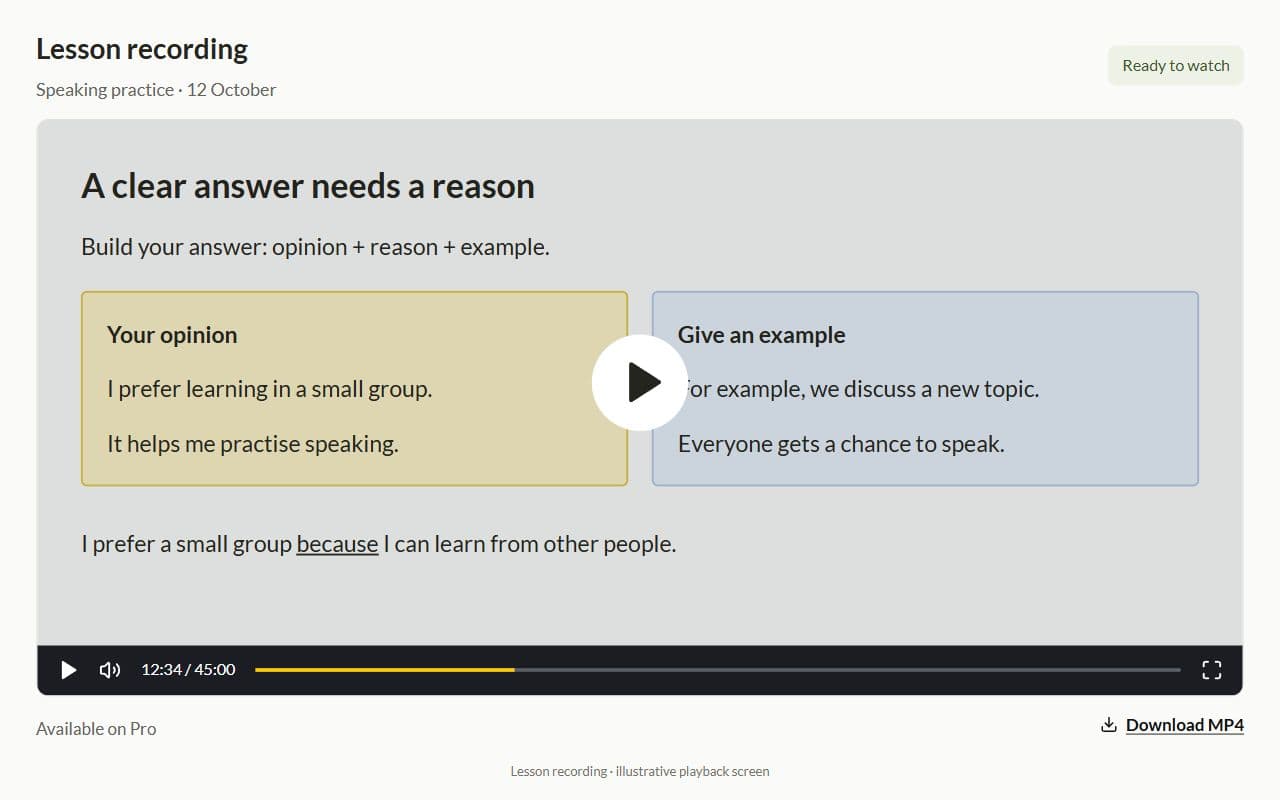
Interface illustration · Demo example
Sound familiar?
After an online lesson without a connected system:
- The Zoom recording sits in Drive and the student never opens it
- You have no idea whether they looked at the cue cards after class
- You explain the same mistakes again in the next online lesson
- Without timecodes, finding the right moment in a recording takes ages
Recording available; analytics planned
What is available and what is planned:
- Lesson recording on Pro for review after class
- Timestamped transcripts are planned
- Viewing analytics are planned
- The tutor decides what needs more practice
How to use a lesson recording
Record your lesson on Pro
Give students a way to return to the explanation after class.
Suggest a topic to revisit
Students open the recording and review the explanation at their own pace.
Continue with practice
Use the student’s work to decide whether more practice is needed. Automatic viewing analytics are not available yet.
Recording is available on Pro; transcripts and analytics are not available yet
Recording beside the lesson
On Pro, the recording stays linked to the lesson so students can open it after class.
Interface illustration · Demo example
Use student work to choose what to review
Suggest an assignment after the student watches the recording. Their work helps you decide whether to revisit the explanation. Automatic viewing analytics are not available yet.

Plan the next lesson
Review assignment results and add feedback or practice to the student’s personal plan.

More for your teaching


Student portal
Homework, tests, and materials through one dashboard — no more "where is the link?"
Learn more
Frequently asked questions
- Yes. Lesson recording is available on Pro, so students can revisit the lesson after class.
- Not yet. Timestamped transcripts are planned separately from the recording feature already available.
- Transcripts with timestamps, AI summaries, and viewing analytics are not available yet. On Pro, you can record lessons and revisit them afterward.
Try Lenitera in your teaching
Start with a template and one student. Your first 14 days of Pro need no card.