Help students review
between lessons.
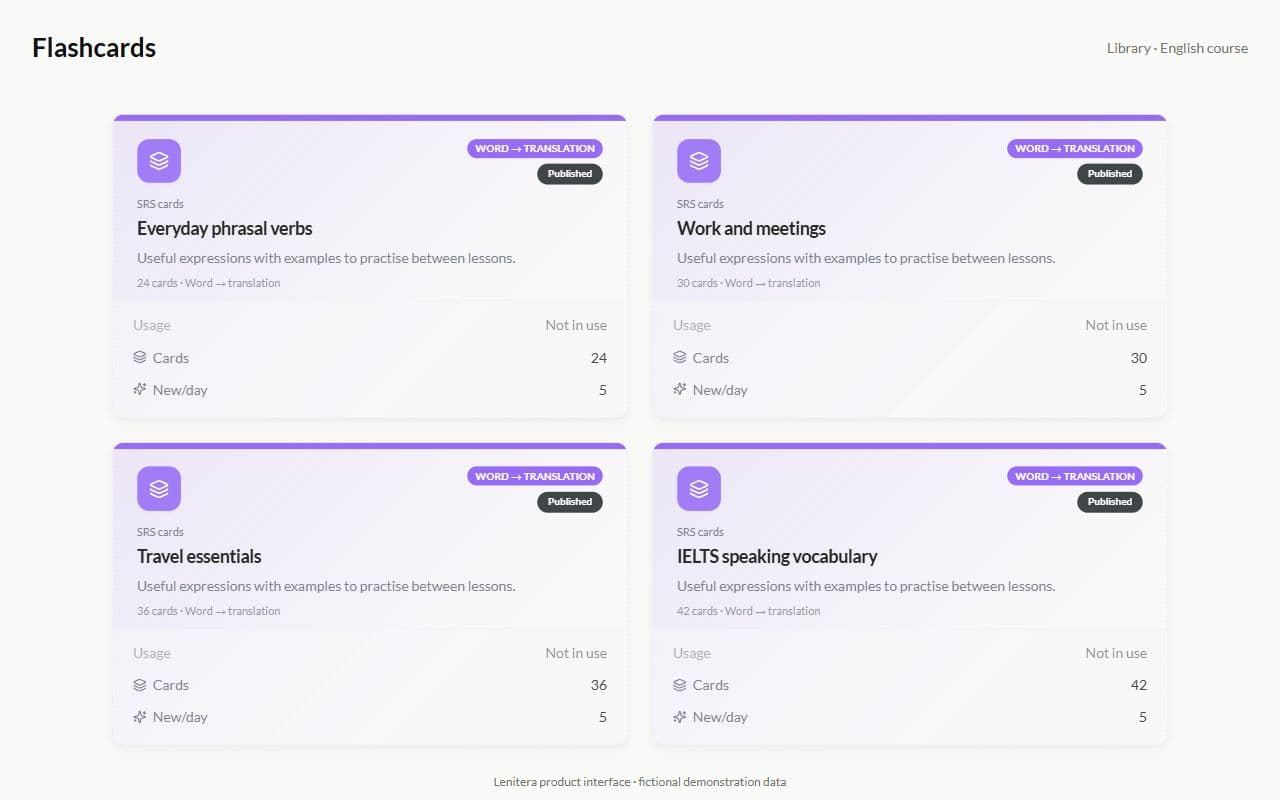
Add vocabulary, formulas, or definitions to the program. Students review them in their portal, and the results help you decide what to revisit in class.
- Flashcards
- Spaced repetition
- In the path
Product screen · Demo example
Sound familiar?
What vocabulary often looks like without a system:
- Quizlet sits on the side — its progress never shows up in your program
- The words are "learned", yet the student still stumbles in speaking
- You copy the same deck by hand for every new student
- You have no idea who opened the cards this week
With Lenitera
What changes:
- Flashcards are a learning step beside lessons, homework, and quizzes
- Spaced repetition without setting up Anki
- One deck for many students and for a group
- Flashcard progress in the student profile
How flashcards work
Build a deck in the library
Words, translations and examples — once. Keep it in the course template or copy it for one student.
Assign it as a path step
Flashcards are a step just like homework. The student gets a magic link and revises in the browser.
See the cards to review before the lesson
See which cards are difficult. Review them with the student or add practice.
From a deck in the library to control in the online lesson
A deck as a step in the program
Between online lessons the student revises words, and the step status updates itself.
- Fits into any subject or exam-preparation path
- A magic link, no password
- Not another Quizlet tab
Right next to homework and tests
One dashboard: flashcards, homework and grammar quizzes — instead of three separate links.
- A single task list
- The same statuses as homework
- Fewer "where is the deck?" messages

A library built for reuse
Build a deck once, then assign it to another student or a whole group.
- Templates in the library
- Groups and one-to-one
- A single version of the deck

More for your teaching

Homework and tests
Written work, problem sets, quizzes, and practice tests in the same learning plan
Learn more
Learning plans
Lessons, materials, homework, and checkpoints arranged around each student's goal
Learn more
Library of materials
Programs, assignments, tests, flashcards, and materials you can reuse across students
Learn more
Frequently asked questions
- No. Flashcards open from the dashboard through a magic link, just like homework and tests.
- Yes. How often a card comes back depends on the results — the student never has to configure Anki.
- Yes. One deck as a step in the group path, with individual progress for every member.
Try Lenitera in your teaching
Start with a template and one student. Your first 14 days of Pro need no card.