One program.
A plan for every student.
Build a program from topics, lessons, materials, and assignments. Each student gets a personal learning plan. Adjust it to their needs while keeping the original template.
- Templates
- Adaptation
- Groups

Product screen · Demo example
Sound familiar?
A typical picture without a platform:
- The program lives in Notion, cue cards in Telegram, mocks in Drive
- Fifteen minutes before every online lesson spent remembering where you stopped
- It is unclear who finished the assignment and who needs support
- Any change to the path means rewriting the plan by hand for every student
With Lenitera
How the product solves it:
- One home for teaching: program, progress and materials
- You always know who is on which step and what comes next
- Templates get reassigned instead of rebuilt from scratch
- Tweaks for a student or a group — without breaking the original
From a program to a student’s personal plan
Build a program from steps
Lessons, materials, tests and homework come together in one template you can assign again and again.
Assign it to a student or a group
The same template works for a one-to-one student and for a group. Progress is still tracked separately for each person.
Adjust the student’s personal plan
Add practice, hide or reorder topics for a student or group, and keep the original library program.
Create a template, add students, and adjust their plans using lesson results
Three ways to see a path
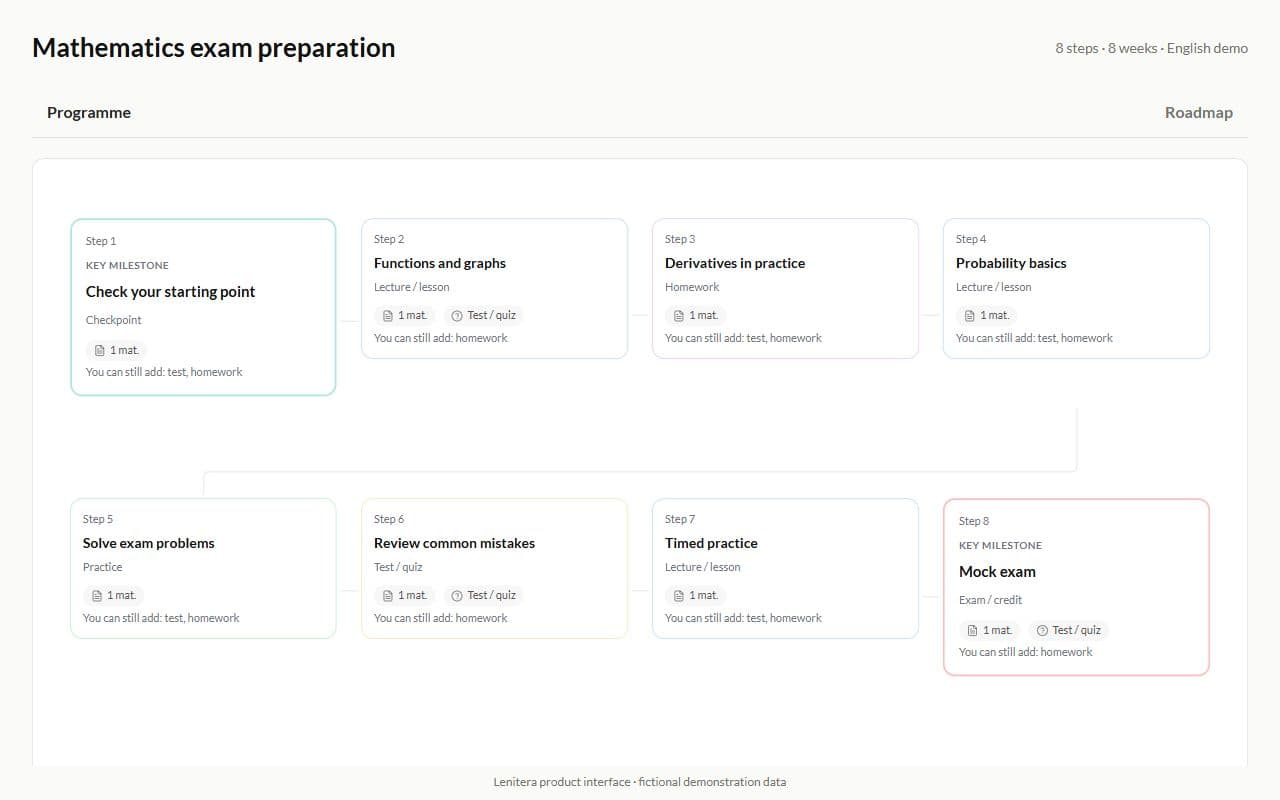
Switch the view to fit the task: a list for detail, the metro map for structure, and the roadmap for the overall logic of the program.
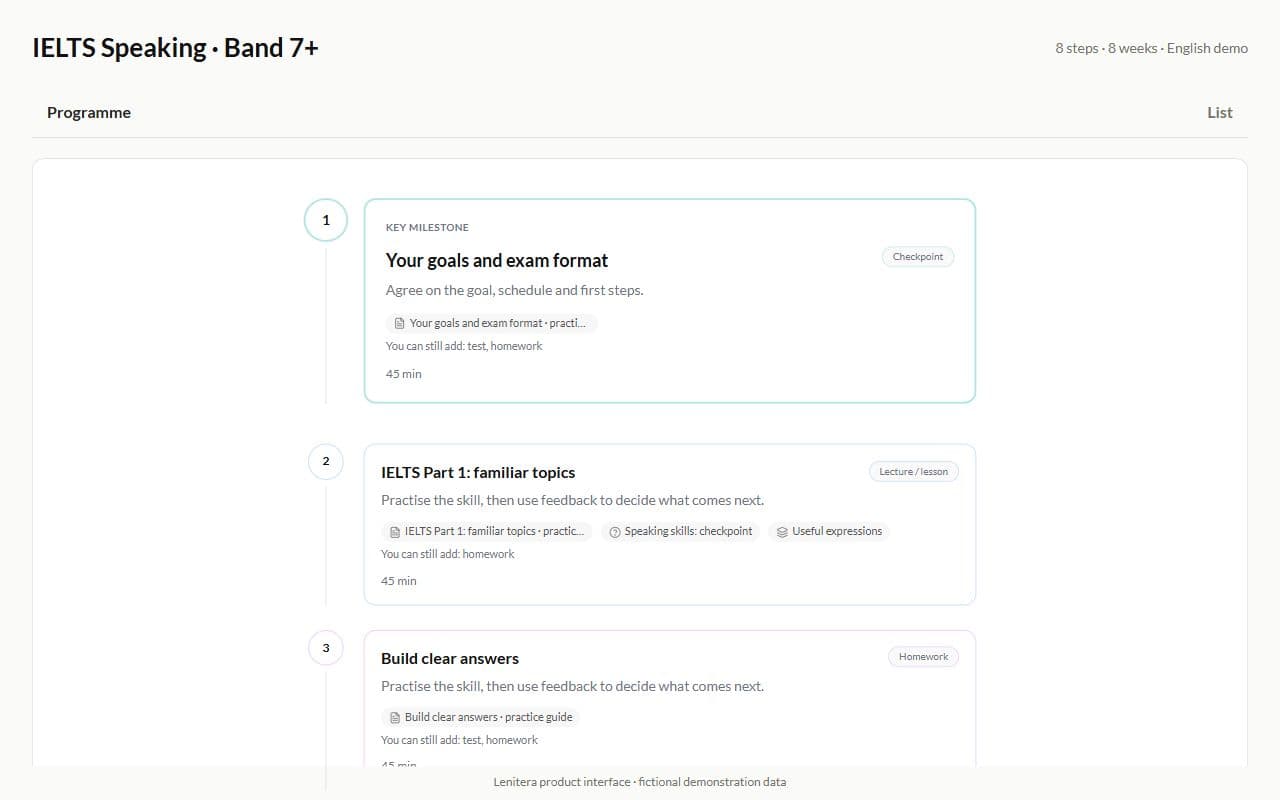
List
A vertical feed of steps with names, types and short notes.
Best when you need to skim through the whole program quickly.
Build the path template once
A program in your library is a ready path: steps, milestones, lesson types and course length.
- Course structure by steps and stages
- Lessons, quizzes, homework and checkpoints in one path
- Reuse for new students and groups
Adapt the path for a student without touching the template
The student gets their own version of the path: hide steps, add personal lessons, tests and homework — the template in your library stays clean.
- Personal steps for one student only
- Hide and reorder steps without rewriting the template
- Personalize after a missed lesson, a failed test or a change of pace

A separate path version for a group
A group can follow its own version of the path: a different pace, extra stages and its own way through the material.
- Group steps for every member at once
- Hide or reorder steps for one specific group
- Personal student settings still apply on top of the group

The path opens right in the student profile
Open a student and you see the program, the current step, the pace and the status of every stage. No collecting context from chats and spreadsheets before the lesson.
- Current step and progress along the path
- Close a step with a comment and a grade
- Step statuses without manual tracking in spreadsheets

The student profile shows exactly what is assigned
The list of programs shows progress, pace and the next active step. You can always see what the student is working on right now.
- Progress and pace on one line
- The next active step without digging through chats
- Works when one student follows several programs

One path for the group, personal progress for everyone
The group follows a shared program while you see who needs help, where each person is and how many steps are already closed.
- Average progress of the group
- See who needs help
- The current step for every student

Problem steps show up on the heatmap
The heatmap shows where the group actually gets stuck, step by step. You see more than a total percentage — you see the bottlenecks.
- A status for every step and every student
- Filter by student status and results
- Jump straight to the point that needs a review

Creating and editing a program
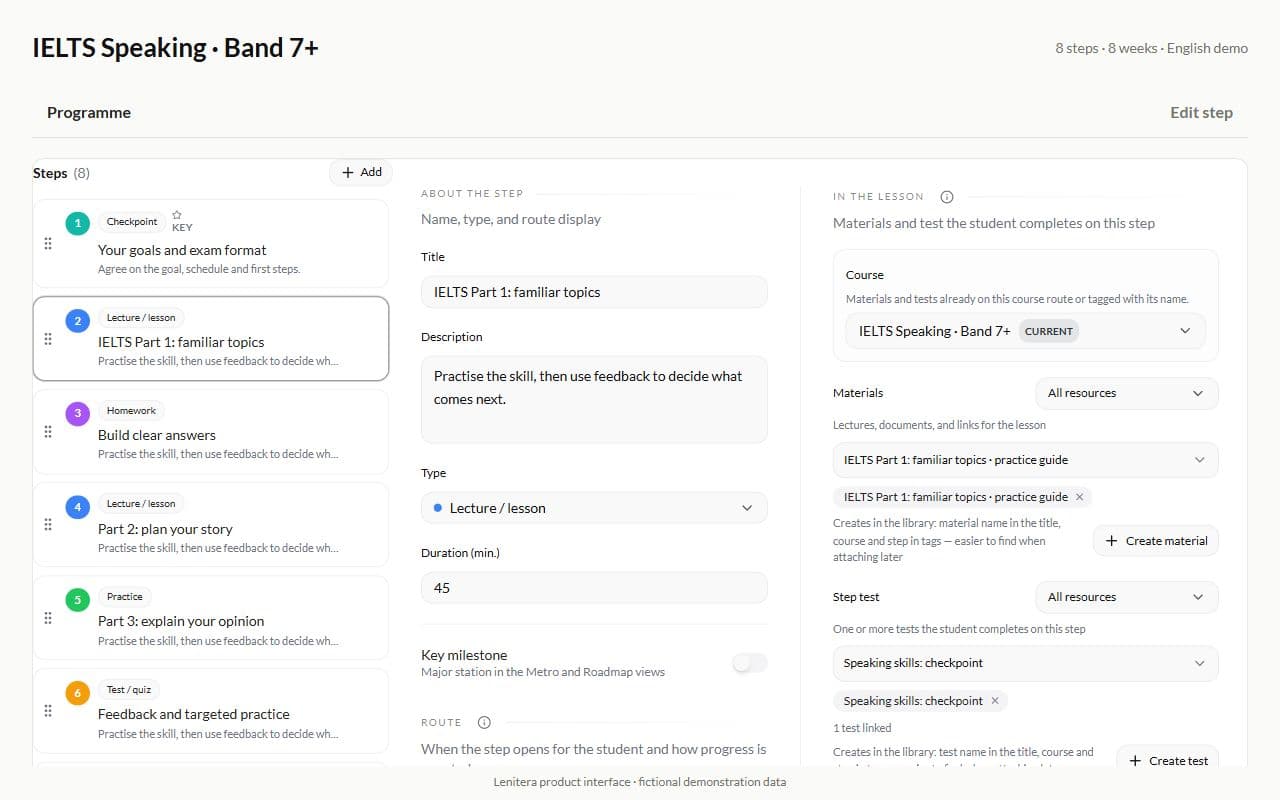
Steps, descriptions, types and content come together in one editor. The finished template can then be assigned as many times as you like.
Step and content editor
The list of steps, the path diagram and the settings of the selected step live in one window.
A reusable program template
Your library holds ready programs for different subjects and levels. Each one can be assigned again without rebuilding it.

An overview of every assignment
From the template you can see which students and groups are already working through it.

More for your teaching
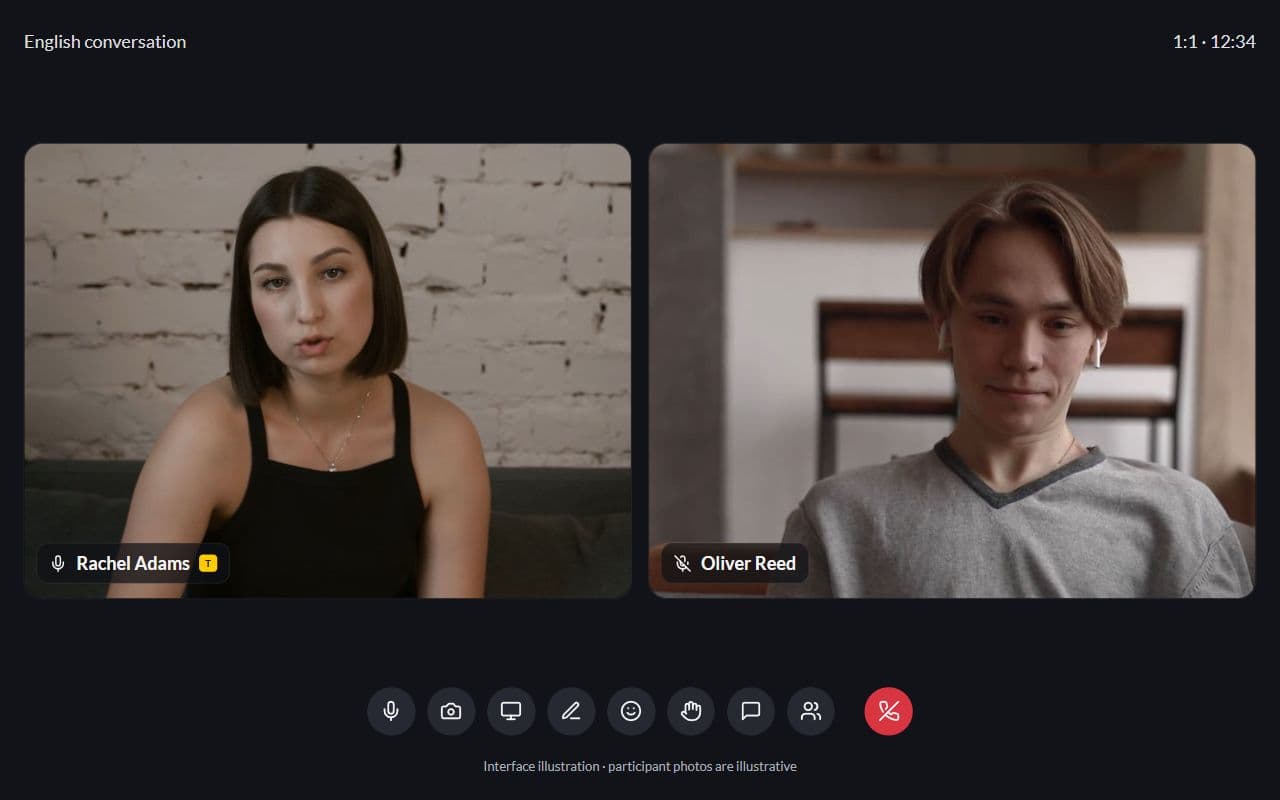
Homework and tests
Written work, problem sets, quizzes, and practice tests in the same learning plan
Learn more
Frequently asked questions
- A CRM is about bookings and clients. A path is about teaching: steps, progress, homework and tests. That is the core of Lenitera.
- Yes. One shared program for the group, individual progress for every member.
- Start with a template, one student, and an assignment you already use. Preparation time depends on your materials.
Try Lenitera in your teaching
Start with a template and one student. Your first 14 days of Pro need no card.