Before the lesson,
see where you left off.
Programs, lessons, notes, and results stay in the student’s profile. Open it before class to revisit the last topic and prepare the next one.
- Notes
- History
- Groups

Product screen · Demo example
Sound familiar?
Before a lesson without a single profile:
- Notes in Telegram, the program in Notion, slots in Google Calendar
- Fifteen minutes spent recalling which cue card you stopped on
- The speaking history is scattered across services
- A new student means collecting the context from scratch again
With Lenitera
What lives on one screen:
- Every active learning plan
- Lessons and the next slot
- Notes only you can see
- Overdue homework before the lesson
How the profile is built
Create the student and assign a path
Contacts, groups, and each assigned program or custom learning plan.
Keep notes and history
Note what you covered and what to revisit. Your notes and material links stay with the right student.
Open it before the lesson
Progress, overdue homework, the next step — one screen instead of five tabs.
Your workspace before and after an online lesson
The student programs
Which paths are assigned and where the student is right now — a programs tab without Notion.
A living path
Lessons, assignments, and checkpoints with their statuses and current step.

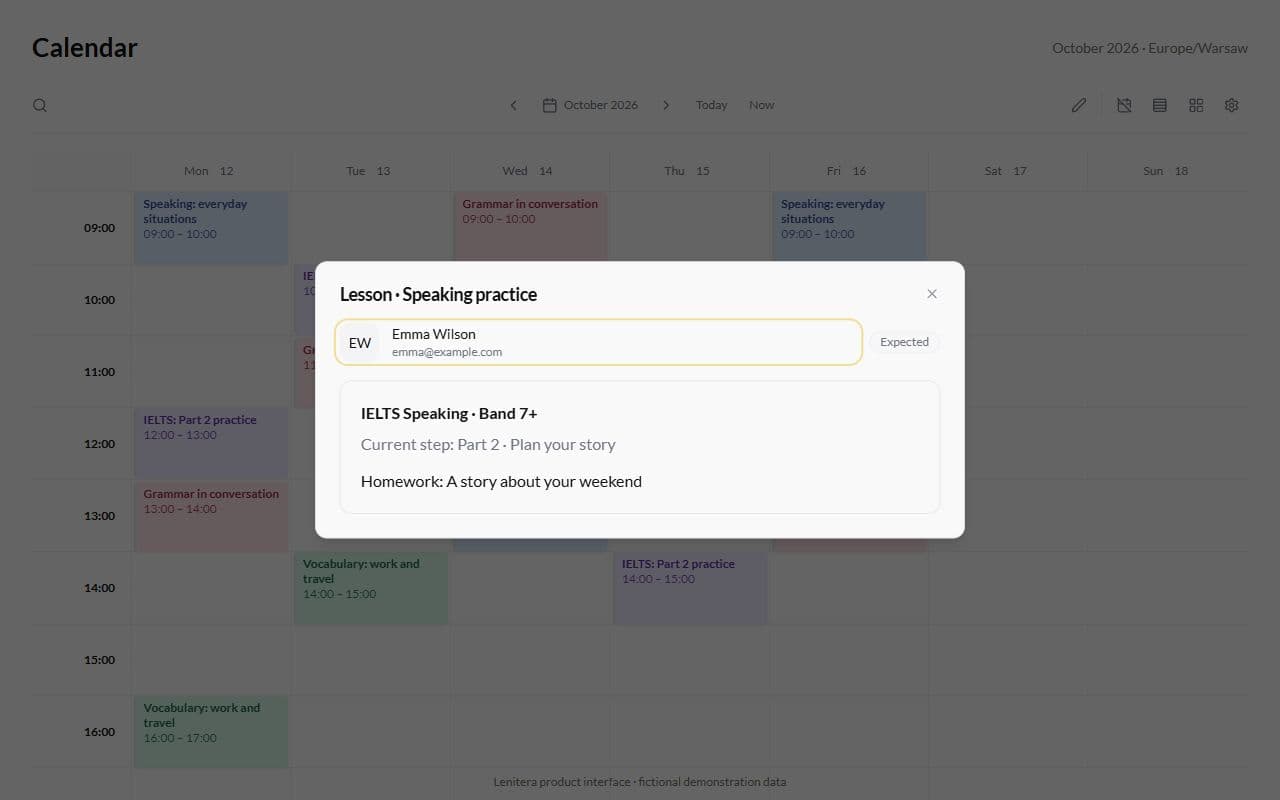
From the calendar into the profile
A click on a speaking slot opens the student: context without searching a list.
More for your teaching

Learning plans
Lessons, materials, homework, and checkpoints arranged around each student's goal
Learn more
Calendar and lessons
One-on-one lessons and groups — every slot linked to a student and learning plan
Learn more
Frequently asked questions
- Several — a core program and a short intensive, for example. Progress is tracked separately for each.
- Tutor notes are for you only. The student sees the path, the homework and the materials in their dashboard.
- Yes. The profile shows their groups and their individual progress inside the shared path.
Try Lenitera in your teaching
Start with a template and one student. Your first 14 days of Pro need no card.